Your Dashboard
The Dashboard is the first page you see after logging in to ren. It's your central hub — every assignment your teachers have given you, every submission you've made, and every piece of feedback you've received lives here.
When you first login, your dashboard will look like this:
Pending, Marked, and Quick Actions
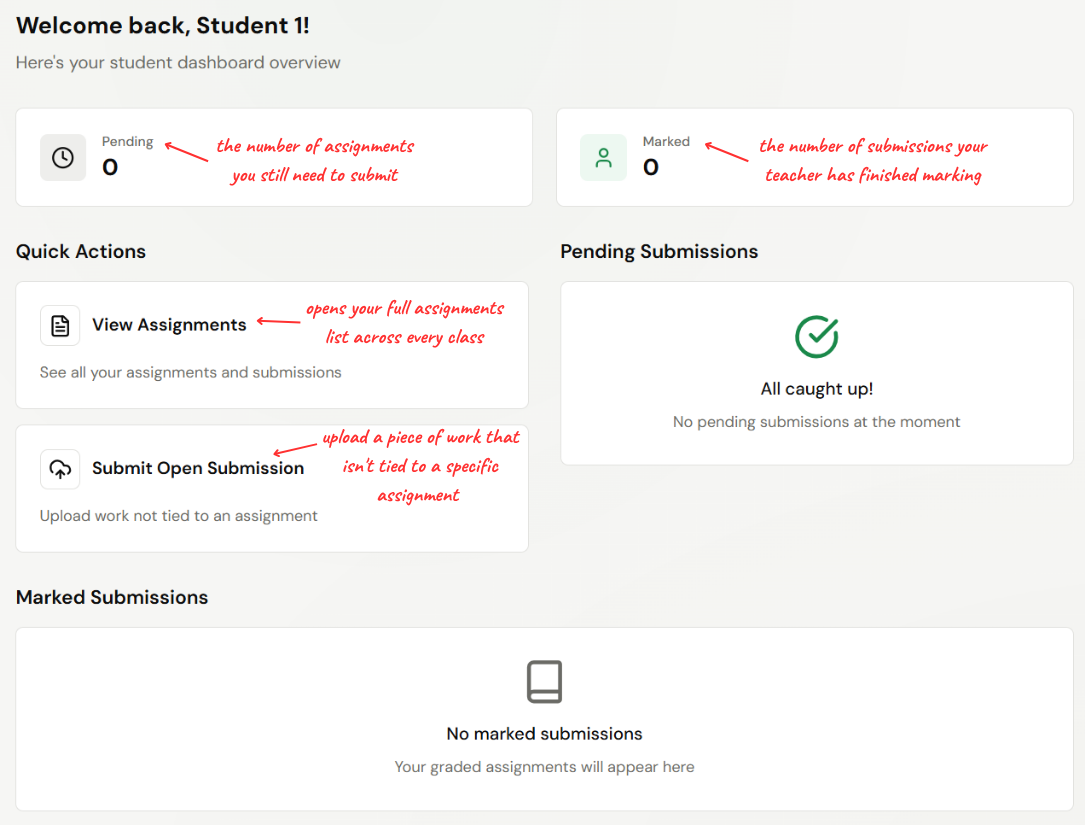
The Pending and Marked counts update automatically as you submit work and as teachers finalise feedback. Submit Open Submission is useful for practice essays or anything your teacher wants to see outside the regular flow.
Pending Submissions
The right-hand side of the dashboard lists every assignment you haven't submitted yet. Each row shows:
- The assignment title and description
- The due date (highlighted in red if overdue)
Click any row to open the assignment and submit your work. If you've already handed everything in, you'll see "All caught up!" instead.
Marked Submissions
Marked Submissions lists every piece of work that's been graded — most recent first. Each row shows:
- The assignment title
- A score badge with your percentage (e.g. 82%)
- A Marked tag indicating it's been finalised
Click any row to open the submission and read the full feedback. If nothing's been marked yet, you'll see "No marked submissions — Your graded assignments will appear here".