Getting Started
Welcome to ren., your AI-powered teaching companion designed to transform how you provide feedback and track student progress. ren. streamlines the marking process through intelligent snippet-based annotation, allowing you to focus on what matters most: helping your students learn and grow.
Whether you're managing multiple classes, grading dozens of assignments, or seeking deeper insights into student performance, ren. provides the tools to make teaching more efficient and impactful.
What Makes ren. Different
Unlike traditional grading systems, ren. uses snippet-based marking that lets you annotate specific sections of student work. Instead of writing the same feedback repeatedly, you can tag common patterns, build a library of reusable comments, and let AI learn from your marking style to provide intelligent suggestions.
Every annotation you make helps build a richer understanding of student performance across your classes, giving you actionable insights without extra effort.
What You Need
To get started with ren., you'll need a registered teacher account. Once registered, you'll have access to all of ren.'s features including:
- class management
- assignment creation
- AI-powered marking
- student analytics
Creating Your Account
- Go to renlearn.app and sign up with your school email or Google account
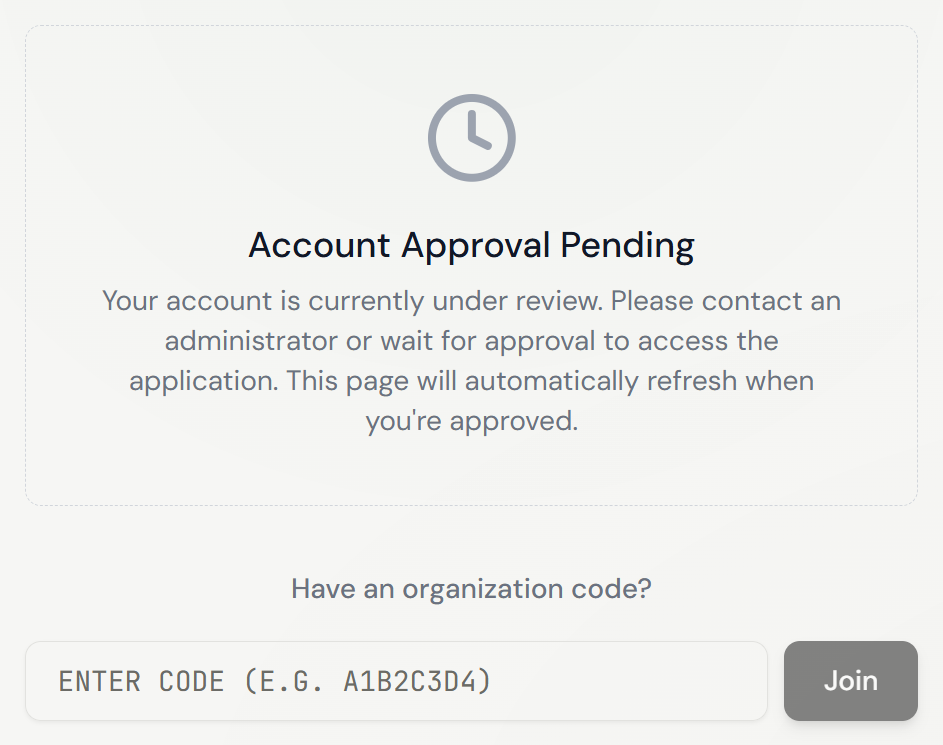
- After signing up, you'll see an Account Approval Pending screen — this is expected
- Enter your organisation code to gain access immediately
You're all set — explore the other pages to dive into each feature in depth.
Relevant Guides
- Creating a ClassSet up your first class and add students
- AssignmentsCreate and configure your first assignment