Memory
The Memory page is where ren.'s AI builds up knowledge of your marking preferences over time. As you mark, tag, and grade submissions, this page accumulates data that helps the AI give more accurate and personalised suggestions.
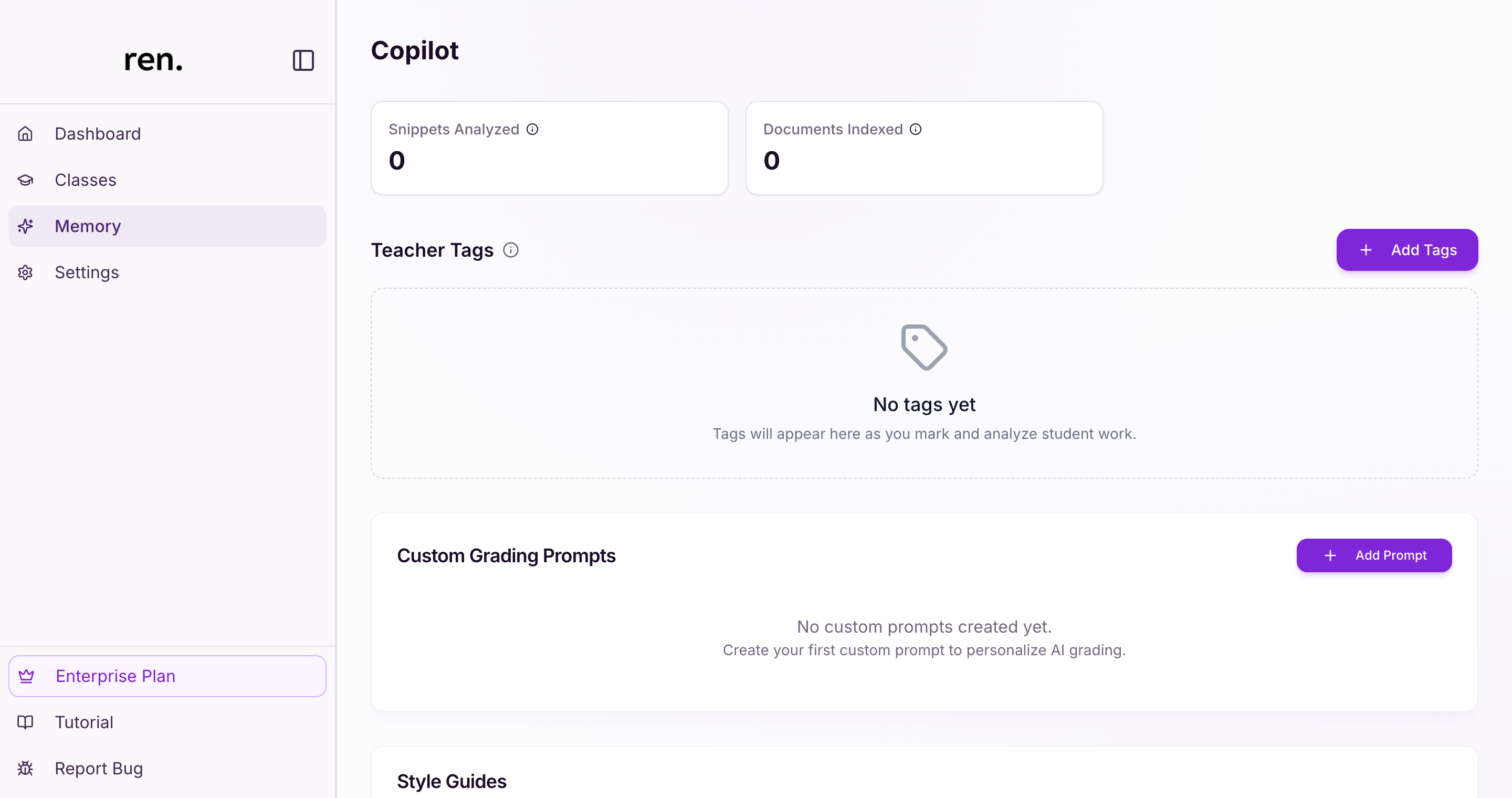
Copilot Analytics
At the top of the page, two counters show how much data the AI has processed:
- Snippets Analyzed — the total number of annotation snippets the AI has processed across all your marked submissions
- Documents Indexed — the number of documents the AI has ingested, including answer schemes and reference materials
These numbers grow as you continue marking and uploading materials.
Teacher Tags
The Teacher Tags section displays all the tags you have used across your annotations. Tags accumulate automatically as you mark — every tag you apply to a snippet is recorded here, building a vocabulary that reflects your feedback style.
You can also add tags manually using the + Add Tags button. Tags are used by the AI when generating annotation suggestions and style guides.
Custom Grading Prompts
The Custom Grading Prompts section lets you create and manage prompts that personalise how the AI grades work.
- Click
Add Promptto create a new prompt - Saved prompts appear in the
Custom Grading Promptdropdown when you create or edit an assignment — select one to apply it to that assignment, or leave the default to use ren.'s standard grading
Style Guides
The Style Guides section contains two auto-generated guides — one for QnA assignments and one for Essay assignments — that the AI builds from your marking patterns.
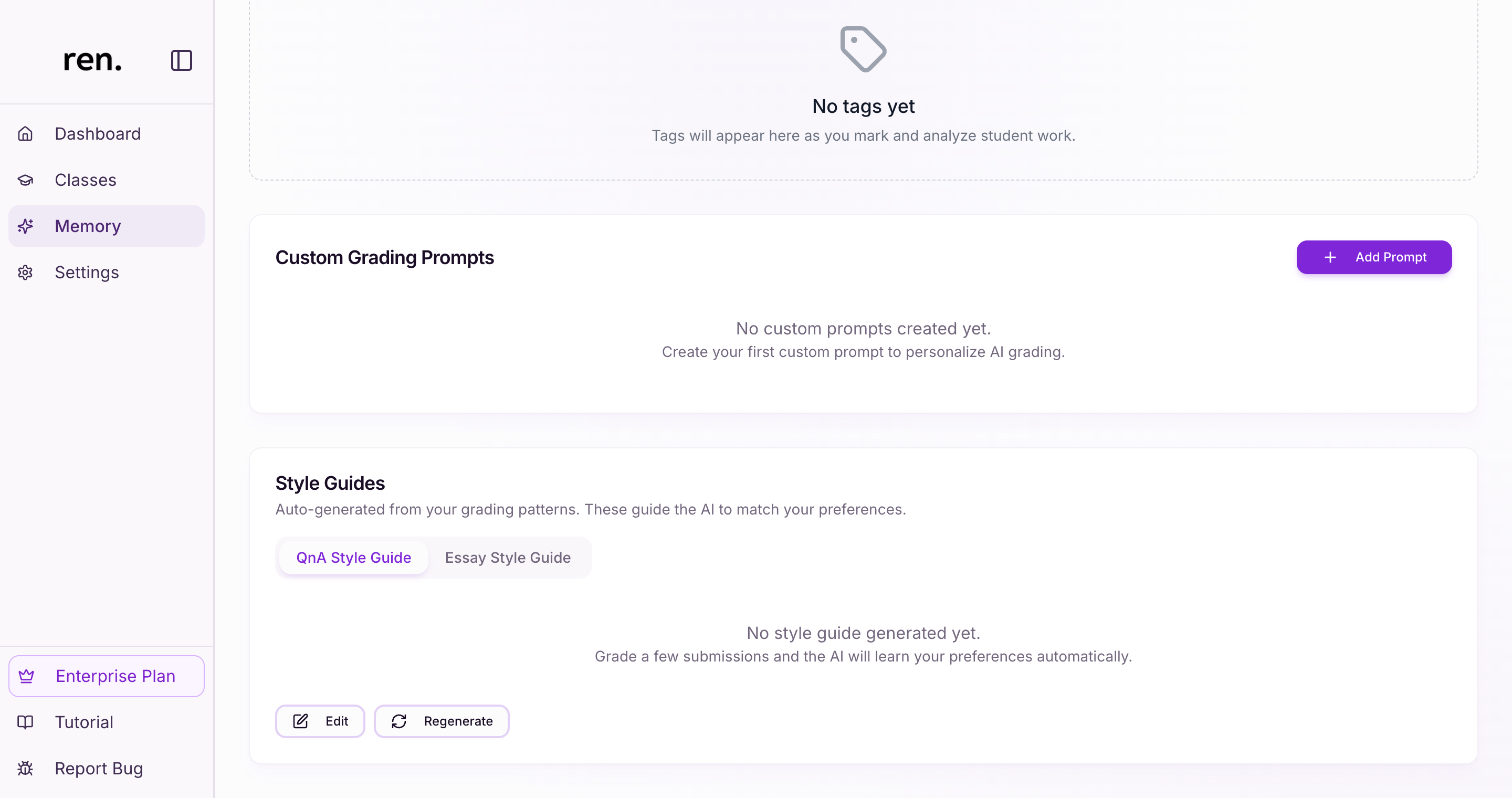
Use the tabs to switch between the two guide types. Each guide is regenerated as you mark more submissions, progressively learning what good and poor responses look like in your classes.
- Click
Editto manually adjust the current guide text - Click
Regenerateto prompt the AI to rebuild the guide from your latest marking data
Style guides are auto-generated by the AI from patterns in your historical marking — they describe what good work looks like based on what you have previously rewarded or penalised. Custom Grading Prompts are manually written instructions you provide directly, giving you explicit control over how the AI approaches a grading task. Both influence AI suggestions, but in different ways.
Relevant Guides
- AssignmentsThe full assignment lifecycle: creating, marking, and reviewing