Lessons
Lessons help you organize teaching content by topic or date. Each lesson serves as a container for related assignments and resources, making it easy for students to find everything they need for a specific unit of study. Lessons also support live, interactive sessions you can run with your class in real time.
Creating a Lesson
- Open the Classes tab in the sidebar and click on Lessons in the class sidebar
- Click the
Create Lessonbutton - Enter your lesson details:
- Title — the name or topic of your lesson (e.g., "Introduction to Algebra")
- Description — a brief overview of what the lesson covers
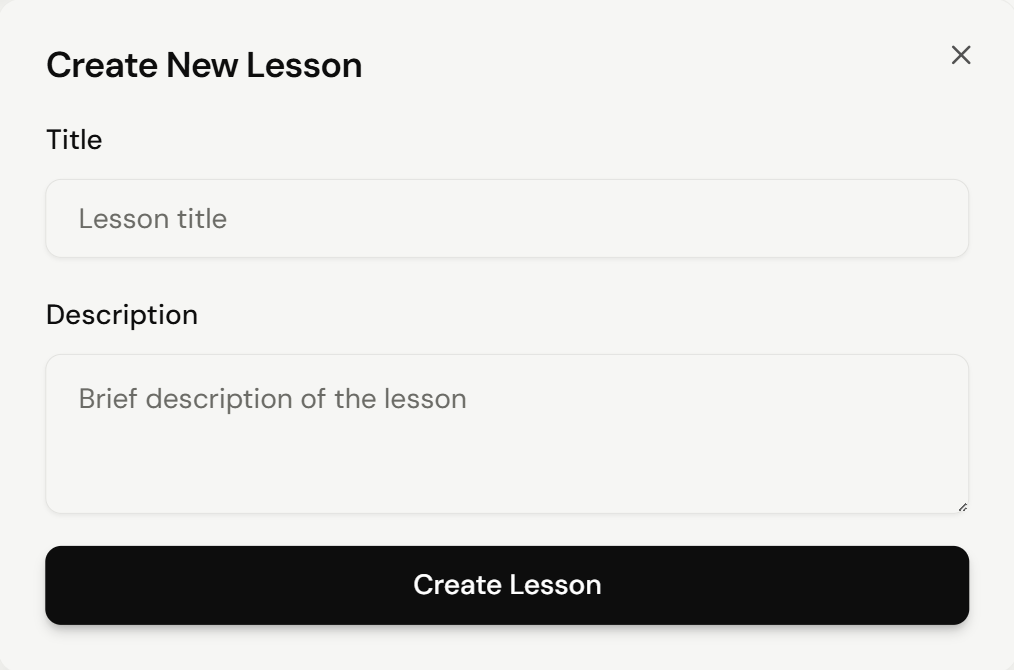
- Click
Create Lessonto add it to your class
What Lessons Can Hold
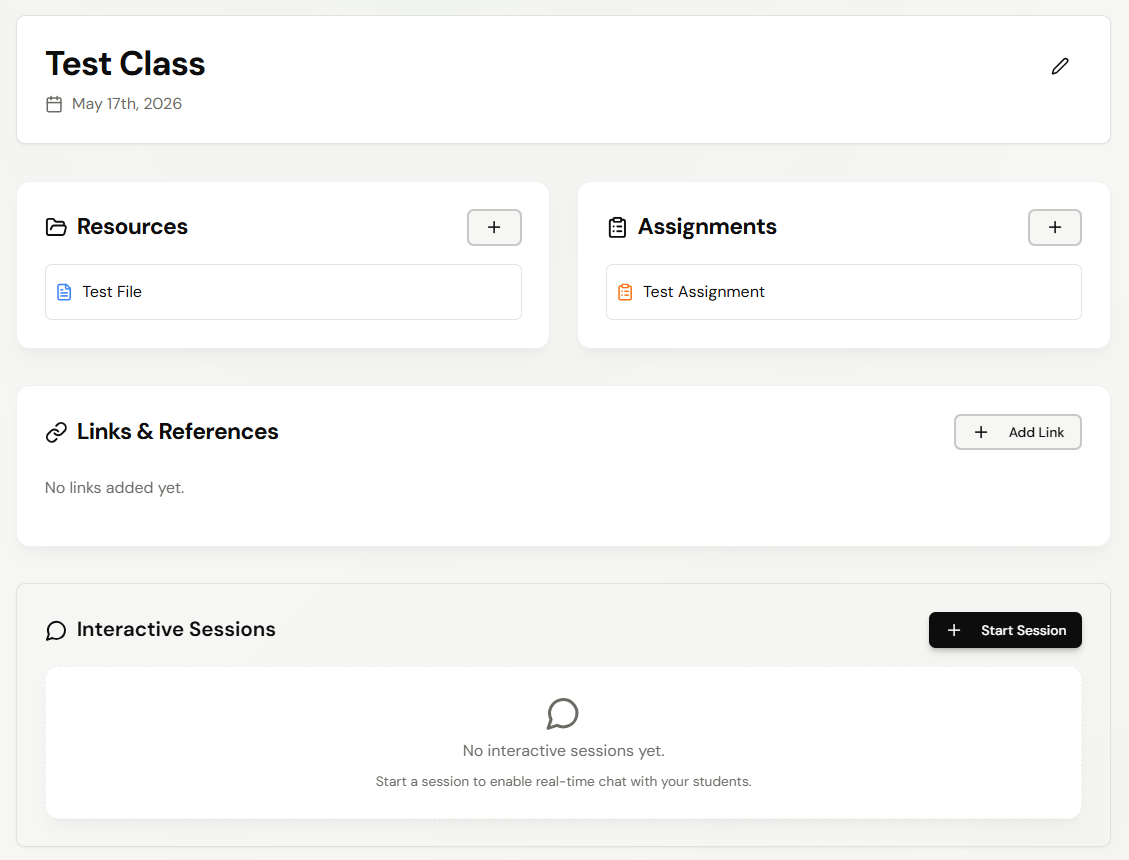
Once a lesson exists, you can:
Add Resources— attach files related to the lesson contentAdd Assignments— group assignments under the lesson topicAdd Link— share additional links and referencesStart Session— run real-time interactive sessions with students
This structured approach helps students see how each assignment and material fits into the broader teaching plan.
Relevant Guides
- ClassesCreate the class lessons belong to
- AssignmentsCreate assignments to attach to a lesson
- Class ResourcesAdd resources alongside lessons